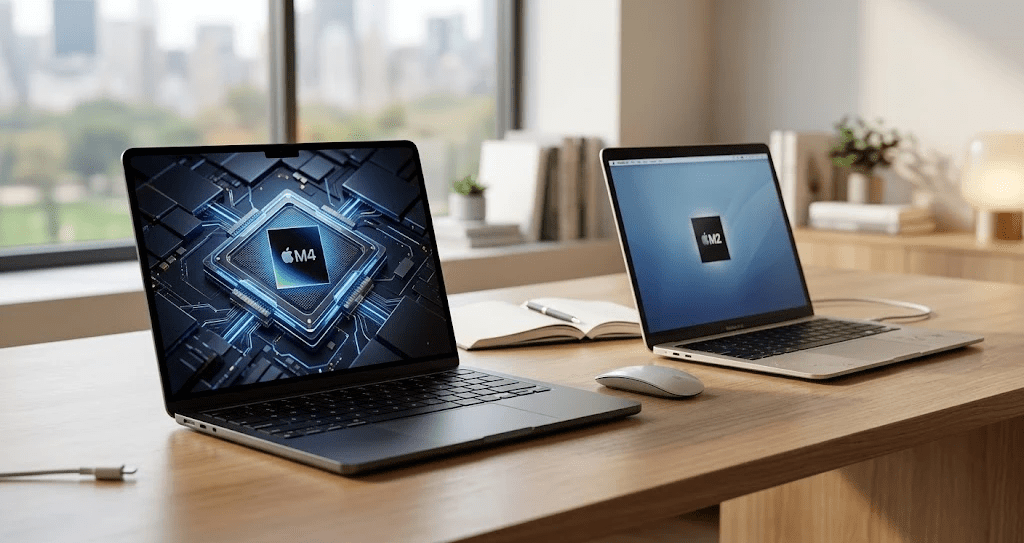
If you bought an M2 MacBook Air back in 2022 you’ve probably wondered whether the M4 is worth the jump.The Apple MacBook Air M4 Review question comes down to one thing does the performance gap justify the cost? Moreover, after using this laptop daily for weeks, the answer isn’t as simple as “yes” or “no.” Here’s what actually changed.
What’s Genuinely New Here
The M4 chip brings real gains over the M2.In single-core tasks, benchmarks show roughly 25% stronger performance compared to the M2 generation.Furthermore the M4 now supports up to 32GB of RAM, while the M2 maxed out at 24GB.
However the design itself hasn’t changed much.The same Liquid Retina display, the same chassis, and the same overall look remain.That said, Apple added a new color option and a noticeably improved webcam this round.
Battery Life Holds Steady
Battery life sits around 14 to 15 hours in real-world testing nearly identical to the M3 generation. Additionally Apple still rates the 13-inch model for up to 18 hours of video playback.Beyond that charging speed climbed slightly from 67W to 70W, though the included brick stays at 30W.
Apple MacBook Air M4 Review: Performance For Everyday Use
For typical task browsing, writing, spreadsheets, video calls the M4 feels noticeably snappier than the M2. In fact, Geekbench scores show the M4 beating the M3 by 17% to 24% in general performance tests.
Therefore, if you’re coming from an M2, that gap widens even further. Moreover, the M4 handles Final Cut Pro editing sessions smoothly, draining only 35-40% battery over a two-hour session.
Gaming Gets A Quiet Boost
The M3 and M4 chips both support real-time ray tracing, something the M2 lacks entirely. As a result, casual gaming on the MacBook Air finally feels viable titles like Baldur’s Gate run surprisingly well on this thin, fanless laptop.
Price And Value
Here’s the part that makes this upgrade easier to justify. The M4 MacBook Air starts at $999 $100 less than the outgoing M3 model. Furthermore, you now get 16GB of RAM as standard, with no price increase over previous base configurations.
Overall, this pricing move alone makes the M4 a stronger value proposition than recent Air models have offered in years.
So, Should M2 Owners Upgrade?
That said, if you only use your MacBook for basic tasks, the M2 still handles daily work just fine. However, if you do any video editing, photo work, or light gaming, the performance difference becomes obvious fast.
In fact, the jump from M2 to M4 represents roughly two full generations of improvement unlike M3 owners, who are looking at a much smaller gap. Therefore, M2 owners have the strongest case for upgrading out of any group.
Final Thoughts
The Apple MacBook Air M4 Review verdict is straightforward this isn’t a flashy redesign, but the performance gains are real. Therefore, if you’re still running an M2 and feeling slowdowns during heavier tasks, the M4 delivers a meaningful upgrade.
Moreover, the lower starting price and extra RAM make this one of the best value moments in MacBook Air history. In fact, for M2 owners specifically, this is likely the most worthwhile upgrade cycle Apple has offered in years. If your M2 still feels fast enough, though, there’s no rush.