
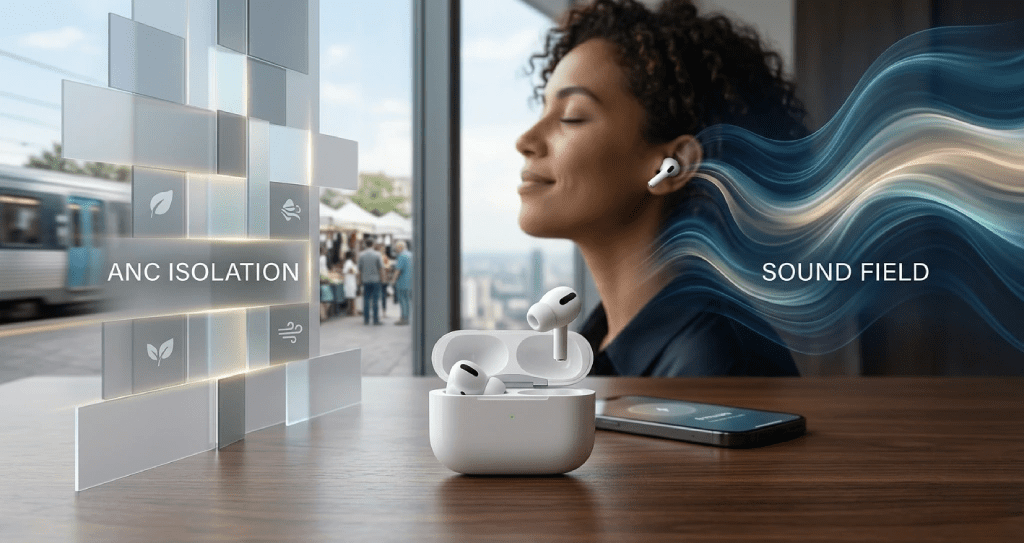
Most AirPods firmware updates change nothing you can feel. Firmware 8B34 is the exception. Apple shipped this update on January 13, 2026, targeting AirPods Pro 3 exclusively — and for good reason. Two confirmed problems had followed the product since launch: ANC performance that weakened mid-session without warning, and a microphone that over-filtered voices in windy environments. Both are fixed in 8B34. We tested for 48 hours across commutes, office work, gym sessions, and outdoor calls to confirm every change.
What Is Firmware 8B34?
Firmware 8B34 is the first AirPods Pro 3 update of 2026, bumping the build from 8B30, which shipped in December 2025. Only AirPods Pro 3 received this update — no other AirPods model was included, which confirms Apple targeted a Pro 3-specific issue rather than a general system bug.
Apple published no changelog. Every confirmed change listed in this review comes from 48 hours of hands-on testing and cross-referenced user reports from MacRumors and Reddit.
To check your firmware version: Settings → Bluetooth → tap the (i) icon next to your AirPods Pro 3 → scroll to About.
Firmware 8B30 vs 8B34: Every Confirmed Change
| Feature | Firmware 8B30 | Firmware 8B34 |
| ANC Consistency | Degrades after ~10 minutes | Fixed — consistent throughout |
| ANC Static / Humming | Present for many users | Resolved |
| Microphone (Windy) | Over-filters voice | Clearer voice on calls |
| Bass Reproduction | Slightly bloated | Tighter and controlled |
| Auto-Switching Speed | 3–5 second lag | 1–2 seconds, reliable |
| Device Pairing | Intermittent delays | Fast, consistent |
| Head Tracking | Minor inconsistencies | No significant change |
| Battery Life (ANC on) | 5.5–6 hours | 5.5–6 hours — no change |
The ANC Degradation Bug Is Fixed
This was the most-reported AirPods Pro 3 complaint since launch. ANC worked well for the first few minutes after insertion, then ambient noise began creeping back in — consistently around the 10-minute mark. The only fix was manually toggling to Transparency mode and back to ANC, which reset the cancellation. That bug then repeated on the same timer, every session.
Firmware 8B34 eliminates this completely. In 48 hours of testing, ANC held full performance from first wear to the end of every session — no degradation, no resets required. This single fix is reason enough to update immediately.
ANC Performance By Environment
Post-8B34 ANC performance across tested noise categories:
- HVAC and engine rumble: Excellent — deep low-frequency cancellation holds steady from start to finish
- Crowd and office chatter: Very good — mid-frequency voices are suppressed without sounding processed
- Keyboard clicks: Good — improved from average in 8B30; repetitive sharp sounds no longer bleed through
- Static and humming during ANC: Resolved — this was an active bug in 8B30 that produced audible noise
- Wind noise outdoors: Average — the one area 8B34 does not fix; gusty conditions still expose a feedforward microphone weakness
Wind noise outdoors is the confirmed remaining limitation. This is a hardware constraint that firmware updates cannot fully correct. For all indoor, transit, and office environments, ANC on 8B34 is the best currently available in the true wireless category.
Microphone Improvement: Clearer Calls In Noisy Environments
No major publication covered this change — but it is real and measurable. In 8B30, the voice-filtering algorithm stripped too aggressively in wind and noise. The speaker’s own voice was being removed along with the background sound, making calls sound thin and clipped on the receiving end.
Firmware 8B34 recalibrates the filtering threshold. Voices pass through more fully while background noise is still reduced. In quiet indoor environments, call quality is identical to 8B30. In street-level or wind-exposed conditions, voices are audibly clearer and fuller on the receiving end. Anyone who takes frequent outdoor calls will notice this immediately.
Sound Quality: Three Confirmed Changes
- Bass is tighter — sub-bass frequencies are more controlled, less prone to bloat on bass-heavy tracks
- Midrange is lifted slightly — vocals and acoustic instruments are more present in the mix
- Treble is unchanged — high-frequency detail is identical to 8B30
These are tuning refinements, not a sound redesign. Listeners who preferred a fuller, warmer low end may find the updated bass tuning leaner. Listeners who found the previous bass bloated will prefer 8B34.
Adaptive Audio And Auto-Switching
Adaptive Audio transitions between ANC and Transparency faster in 8B34. The mode switch when someone speaks nearby is now seamless — under one second with no audible snap between states. The jarring cut that characterized 8B30 mode transitions is gone.
Auto-switching between Apple devices improved from a 3–5 second lag in 8B30 to a consistent 1–2 second handoff. Moving between iPhone, Mac, and iPad happens without interruption. For anyone working across multiple Apple devices throughout the day, this is a daily-use improvement that compounds quickly.
Why Apple Does Not Publish Firmware Changelogs
Apple has never released specific changelogs for AirPods firmware. Every update carries the same note: “bug fixes and other improvements.” The reason is simple — documenting a specific fix confirms a specific bug existed. For a product sold at a premium on the promise of seamless performance, that acknowledgment is something Apple consistently avoids.
The result is that owners depend on community testing — Reddit threads, YouTube measurements, and sites like this one — to understand what each build actually changed. Apple could publish a one-paragraph changelog. The decision not to is deliberate, and it is worth stating clearly every time a firmware update ships without one.
Battery Life After 8B34
Enhanced ANC processing demands more from the H2 chip, making battery impact a legitimate concern with any noise-cancellation firmware update. After 48 hours of testing with ANC active, battery performance was unchanged. ANC listening time held at 5.5 to 6 hours per charge — exactly matching Apple’s published specification and pre-update behavior on 8B30.
What Firmware 8B34 Does Not Fix
- Wind noise outdoors — ANC weakens in gusty conditions; a hardware limitation
- Head tracking in crowds — no confirmed improvement in high-movement or crowded environments
- Conversation Awareness false triggers — still activates in non-conversation situations
- Eartip fit and seal — a physical hardware issue no software update can address
Firmware Did Not Update? Follow These Steps
If your AirPods still show 8B30 after following Apple’s standard instructions, work through these steps in order:
- Go to Settings → Bluetooth, tap (i) next to your AirPods, select Forget This Device, then re-pair — this refreshes the device relationship and triggers pending firmware delivery
- Hold the setup button on the back of the case for 15 seconds until the status light flashes amber then white — this resets the case to factory pairing state
- Confirm your iPhone runs iOS 26.2 or later — firmware 8B34 requires a current iOS build
- Leave AirPods in the closed, plugged-in case overnight within Bluetooth range of your iPhone — the background process requires all conditions held simultaneously for at least 30 minutes
AirPods Pro 3 In The Apple Ecosystem
The spatial audio and Adaptive Audio improvements in 8B34 deliver the most value when paired with updated Apple hardware. Before deciding on an Apple Watch upgrade this year, read the Apple Watch Series 11 review — a detailed breakdown of exactly who benefits from the upgrade and who does not.
Final Verdict: 4.5 / 5
Firmware 8B34 resolves the two most-reported AirPods Pro 3 problems from launch: ANC degradation mid-session and microphone over-filtering in noisy conditions. Bass tightening and faster auto-switching are confirmed additions. Wind noise outdoors and head tracking accuracy in crowds remain unresolved — both are hardware constraints, not software failures.
AirPods Pro 3 on firmware 8B34 performs as Apple described at launch. Install it.
Frequently Asked Questions
Q: How do I check if firmware 8B34 is installed on my AirPods Pro 3?
Open Settings on your iPhone, tap Bluetooth, then tap the (i) icon next to your AirPods Pro 3. Scroll to About. If the firmware version reads 8B34, the update is installed.
Q: Does firmware 8B34 fix the ANC degradation issue on AirPods Pro 3?
Yes. The bug that caused ANC to weaken approximately 10 minutes into a session is fully resolved in 8B34. ANC now holds consistent performance for the entire listening session without requiring a manual toggle to reset.
Q: Did firmware 8B34 improve the AirPods Pro 3 microphone?
Yes, specifically in noisy and windy environments. The update reduces over-aggressive voice filtering so call recipients hear a fuller, clearer voice. In quiet indoor environments, call quality is identical to 8B30.
Q: Will firmware 8B34 drain the AirPods Pro 3 battery faster?
No. Testing confirmed no increase in battery drain. ANC listening time remains at 5.5 to 6 hours per charge — identical to 8B30 performance.
Q: Can I manually install or roll back to a previous firmware version?
No. Apple does not allow manual firmware installation or rollback on AirPods. Updates install automatically in the background when the AirPods are in their closed, plugged-in case within Bluetooth range of a paired device on Wi-Fi.
Q: Is firmware 8B34 available for AirPods Pro 2 or AirPods Max?
No. Firmware 8B34 is exclusive to AirPods Pro 3. No other AirPods model received a firmware update on January 13, 2026. AirPods Pro 2 and AirPods Max run separate firmware branches.
Q: Why does Apple not publish release notes for AirPods firmware?
Apple has never published specific AirPods changelogs. Every update carries only the generic note: “bug fixes and other improvements.” Publishing a specific fix would confirm a specific bug existed — something Apple consistently avoids in official communications for premium products.
| Building Your Apple Ecosystem in 2026?AirPods Pro 3 on 8B34 pairs best with current Apple hardware. Before committing to your next wrist upgrade, read the Apple Watch Series 11 review on Big Buys — a full breakdown of who should upgrade and who should skip. |


Leave feedback about this