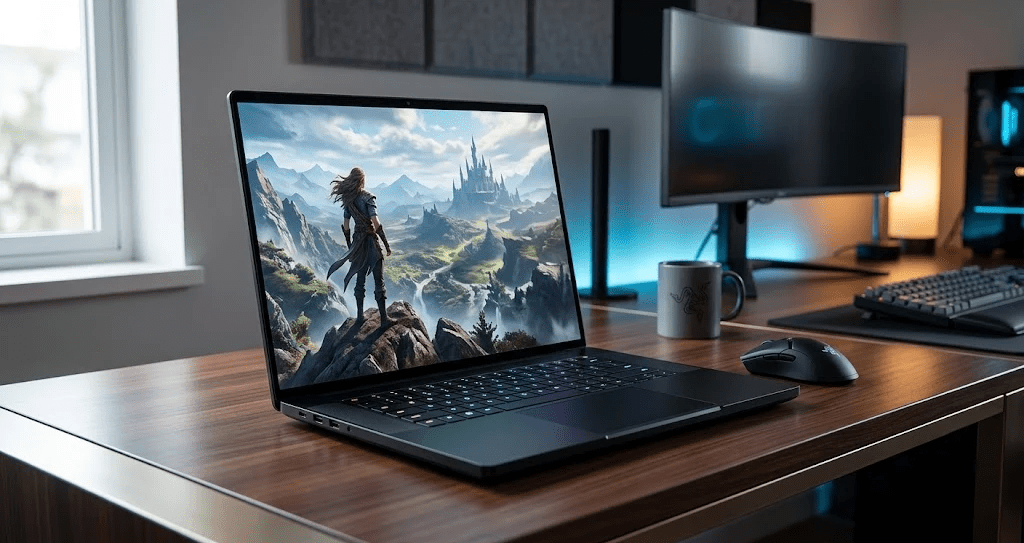
Razer has never pretended the Blade 18 is a sensible purchase.The Razer Blade 18 (2026) Review question is simply whether the performance justifies prices that start at $3,999 and climb to $6,999.Moreover after independent testing across multiple review outlets, the answer is nuanced this machine is genuinely exceptional, but the upgrade from 2025 barely moves the needle.Here’s the full breakdown.
Build Quality That Justifies The Premium
The CNC-machined aluminum chassis feels closer to a MacBook than a gaming laptop. Therefore, if build quality matters as much as performance to you, nothing else at this price tier comes close.
The matte black finish resists smudges and cleans easily with a microfiber cloth.Furthermore the hinges feel solid and operate smoothly even under daily stress.That said the chassis does attract fingerprints in certain lighting a minor but consistent complaint across reviews.
Display: Dual Mode Is The Real Feature
The 18-inch IPS panel now hits 600 nits peak brightness, up from 500 nits on the 2025 model. Additionally, the dual-mode display lets you switch between UHD+ at 3840×2400 resolution with 240Hz, or FHD+ at 1920×1200 with 440Hz.
However, switching between modes requires Razer’s Synapse software and a full restart. In fact, most users won’t regularly use the 440Hz mode and that complication adds friction without much payoff.
Razer Blade 18 (2026) Review: Gaming Performance
The Intel Core Ultra 9 290HX Plus pairs with the RTX 5090 Laptop GPU carrying 24GB GDDR7 memory at 175W TGP. As a result, 4K gaming at maximum settings runs smoothly across most titles.
Independent testing shows the 2026 model delivering strong results in demanding titles though benchmarks revealed no meaningful performance bump over last year’s 275HX-based model with the same GPU.Furthermore DLSS 4.5 with Multi-Frame Generation helps push frame rates well beyond what raw hardware alone achieves.
Thermals And Noise
Surface temperatures peak around 106°F on the underside during stress tests.Moreover the fans get loud under full load reviewers consistently describe it as noticeably noisy.Beyond that the GPU averaged a well-managed 67°C internally, which shows the vapor chamber cooling does its job despite the noise.
The Value Problem
Here is where most buyers need to pause.The 2026 Blade 18 starts $500 higher than last year’s equivalent configuration despite delivering a minimal CPU performance improvement.Therefore if you already own a 2025 Blade 18, there is genuinely no reason to upgrade.
Additionally, competitors like the MSI Titan 18 HX AI offer the same GPU at lower prices. Overall, you’re paying a significant premium for Razer’s build quality and brand not for raw performance alone.
Who Should Actually Buy This
Content creators and AI developers running local LLMs gain real value from the 24GB VRAM and desktop-class CPU performance. Furthermore, gamers who want the best 18-inch build quality on the market with a versatile dual-mode display will find nothing better.
However, competitive gamers playing at 1080p or 1440p get very little benefit at this price. In fact, a well-configured laptop at half the cost handles those resolutions just as well.
Final Thoughts
The Razer Blade 18 (2026) Review verdict is this technically excellent, but overpriced for the incremental upgrade it delivers. Therefore, if you’re buying your first Blade 18 and want the best large-screen gaming laptop available, this earns its price.
Moreover, the build quality, dual-mode display, and RTX 5090 performance combination remains unmatched in an 18-inch package. In fact, the only real competition comes from MSI at a lower price point. Finally, for 2025 Blade owners specifically save your money and skip this cycle entirely.