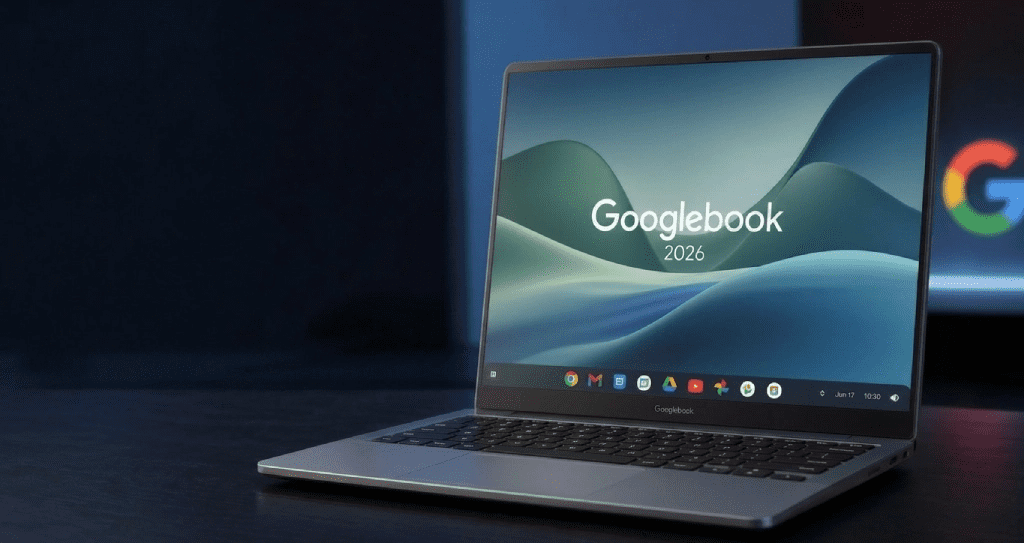
Google just ended the Chromebook era quietly, diplomatically, but unmistakably. Meet the Googlebook: a laptop that doesn’t ask you to use AI. It just does.
It’s a bold claim. But given what we know so far, it’s not entirely empty either. Here’s everything you need to know before these machines land on shelves this fall.
What Exactly Is A Googlebook?
At the most basic level, Googlebook is a new category of laptops not a single device, but a platform. Google is partnering with Acer, Asus, Dell, HP, and Lenovo to build the first wave of machines. Each will come in different shapes, sizes, and presumably price points, though Google hasn’t confirmed specific figures yet.
What unites them is the software underneath. Googlebooks run on a new platform that merges the best parts of Android and ChromeOS into a single, unified experience. If you’ve followed the “Project Aluminum” rumors circulating since early 2025, this is that. It’s not Chrome with a Gemini shortcut bolted on it’s a ground-up rethink.
Googlebook Features: Gemini AI, Glowbar & Magic Pointer
If there’s one thing people are talking about after the announcement, it’s the Magic Pointer. This is Googlebook’s reimagining of the humble mouse cursor and honestly, it’s the kind of idea that either sounds ridiculous until you see it, or immediately makes you wonder why nobody did it sooner.
Here’s how it works: wiggle your cursor on screen, and Gemini wakes up. It reads whatever is underneath the pointer and offers contextual suggestions. Hover over a date in an email, and it offers to create a calendar event. Place your cursor between two images say, a photo of your living room and a picture of a couch you found online and it can blend them together so you can see how the furniture would actually look in your space.
Notably, this isn’t a third-party API integration. The Magic Pointer was built in collaboration with Google DeepMind, which suggests it’s not just a parlour trick it required genuine model innovation to make a cursor context-aware in real time. Whether it works as smoothly in everyday use as it did in the demo is the question everyone will have until fall.
Android And ChromeOS Integration Explained
One of Googlebook’s three core pillars is how it connects with your Android phone. And this isn’t just about syncing notifications. The integration here goes deeper than anything Google has attempted before and in some ways, deeper than Apple’s iPhone Mirroring.
With Cast My Apps, you can access any application from your phone directly on the Googlebook’s larger screen. No downloading, no emulation latency, no transferring files over Bluetooth. The scenario Google gave: you’re in the middle of deep work on your laptop, your Duolingo reminder pops up, and instead of grabbing your phone, you just open the app on your screen, finish your lesson, and get back to it. Small thing. Real value.
Should You Wait For It?
That depends entirely on what you need right now. If you’re in the market for a laptop today and need something reliable, the options from Microsoft, Apple, and the existing Chromebook-plus lineup aren’t going anywhere.
But if you’re an Android user especially someone whose phone is already deeply embedded in Google’s ecosystem the Googlebook proposition is genuinely compelling. A laptop that works like an extension of your phone, with an AI layer that doesn’t demand your attention but earns it when you need it? That’s a real vision, not just a spec sheet.
The honest caveat: we haven’t seen final hardware, final pricing, or real-world performance. Google has shared a compelling preview. Fall 2026 is when we find out if the execution matches the ambition.